The Phia plugin turns ChatGPT into a fashion shopping assistant: real products with prices and stores, new versus pre-owned price checks, and styling with in-stock picks. Here is how to add it, how to ask, and what it will and will not do.

ChatGPT Shopping Plugin for Fashion: How to Use Phia
From the Sears catalogue to a chat box
Start here: add the Phia plugin in ChatGPT, and get the Phia app on your iPhone for your closet and price checks.
In 1888 Richard Sears mailed out his first catalogue, a thin thing with nothing in it but watches and jewelry, and a claim of the lowest prices on earth. Within a few years it sold almost everything, and the idea never really left us: one place where you can see the thing, see the price and decide. A ChatGPT shopping plugin is the newest version of that catalogue, except you talk to it.
Phia's plugin is built for fashion, bags, shoes and accessories. You ask in plain words and it searches hundreds of retailers and resale marketplaces at once, then shows real products with images, prices and the store each one comes from. It can filter by price, gender, condition or items on sale, and it can pull from Phia's editorial style guides when you want ideas rather than one specific item.
The reason I wanted Phia in ChatGPT is that so much shopping now starts as a conversation. You are already asking ChatGPT what to pack for Lisbon or what to wear to a rehearsal dinner. Having the actual products, with actual prices, show up in that same chat saves the twelve open tabs.
What I would skip: treating any shopping answer, from any plugin, as a final price. Stores change prices daily. Use it to find and compare, then check the price on the store's page before you buy.
How to add the Phia plugin
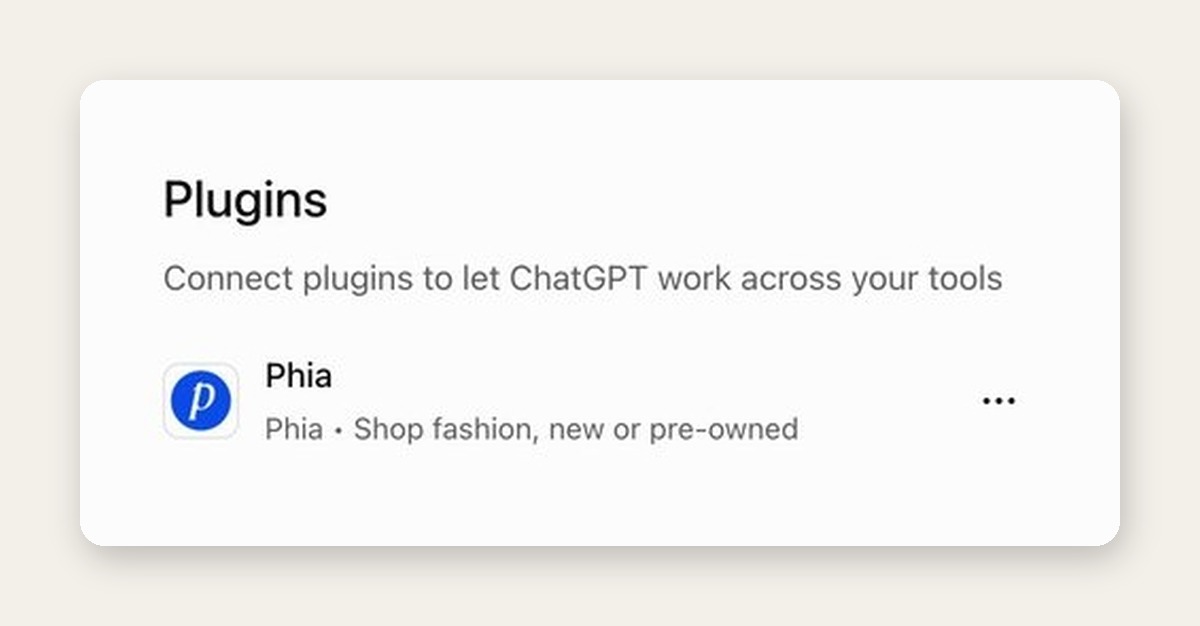
Adding it takes about a minute. In ChatGPT, open Plugins from the sidebar, type Phia into the search box, and choose the listing with the blue P that reads Shop fashion, new or pre-owned. You can also open the Phia plugin page directly and tap Try in chat, which drops you into a new chat with Phia ready to go.
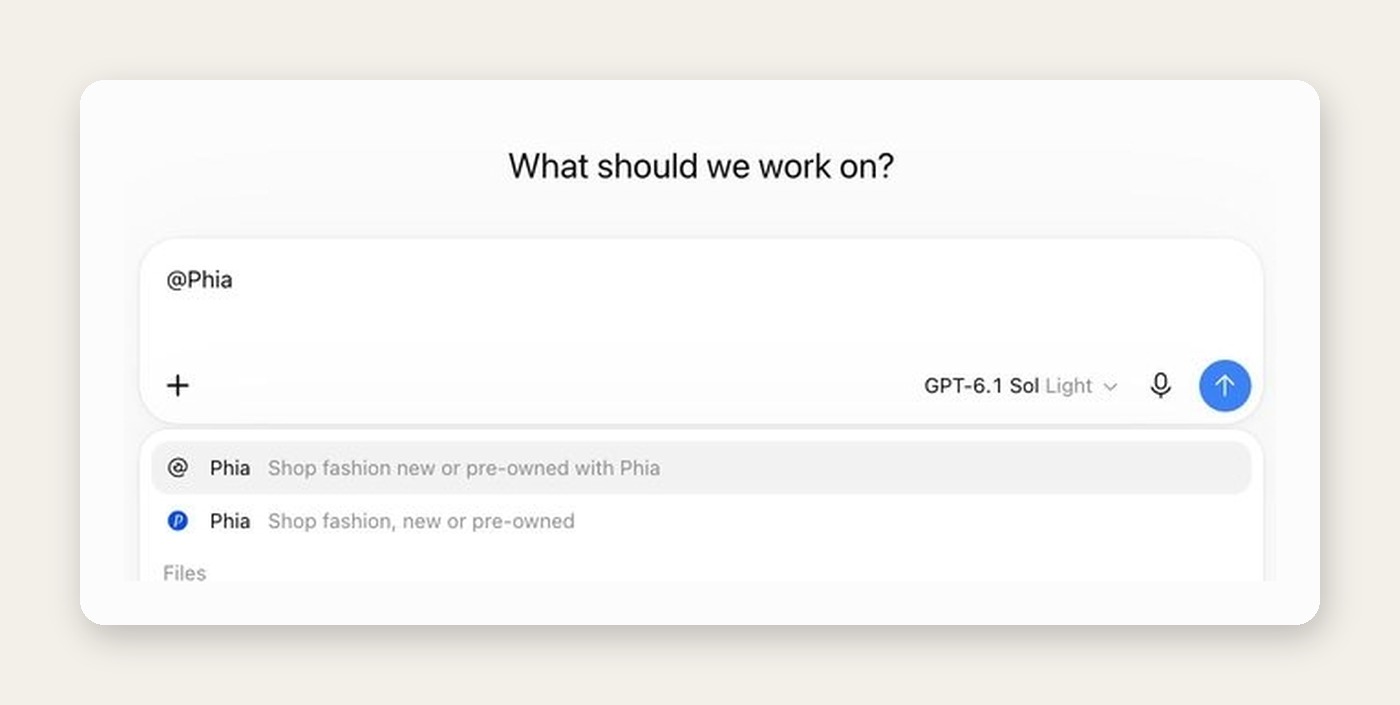
To use it, start your message with @Phia. When you type the @, ChatGPT shows the plugins you have added, and picking Phia tells it to use Phia for that question rather than its own general shopping results. I do this every time. Naming the plugin is the difference between an answer built on Phia's catalogue and a generic answer that may or may not be.
There is no Phia account to make and nothing to sign in to. The plugin does not ask for personal information, and it does not process payments or place orders. Tap Shop on any product and it opens on the retailer's own website, where you check out like normal. Phia may earn a commission when you buy through its links, which is how it stays free.
One limit to know: right now the plugin works in the United States with prices in US dollars.
Three kinds of questions it is good at
The first kind is finding. Give it the item, the color, the material and a budget, the way you would describe it to a friend who works in a store. Black leather ballet flats under $300. A camel wool coat that is not double-breasted. Phia searches its catalogue and returns products with the price and store on each card, so you can see the spread at a glance.
The second kind is the new versus pre-owned question, which is where I think it is most useful. Ask whether a specific bag is worth buying new or pre-owned and Phia shows the lowest new price and the lowest pre-owned price it finds, side by side, with listings for each. For designer pieces the gap is often large enough to change your mind.
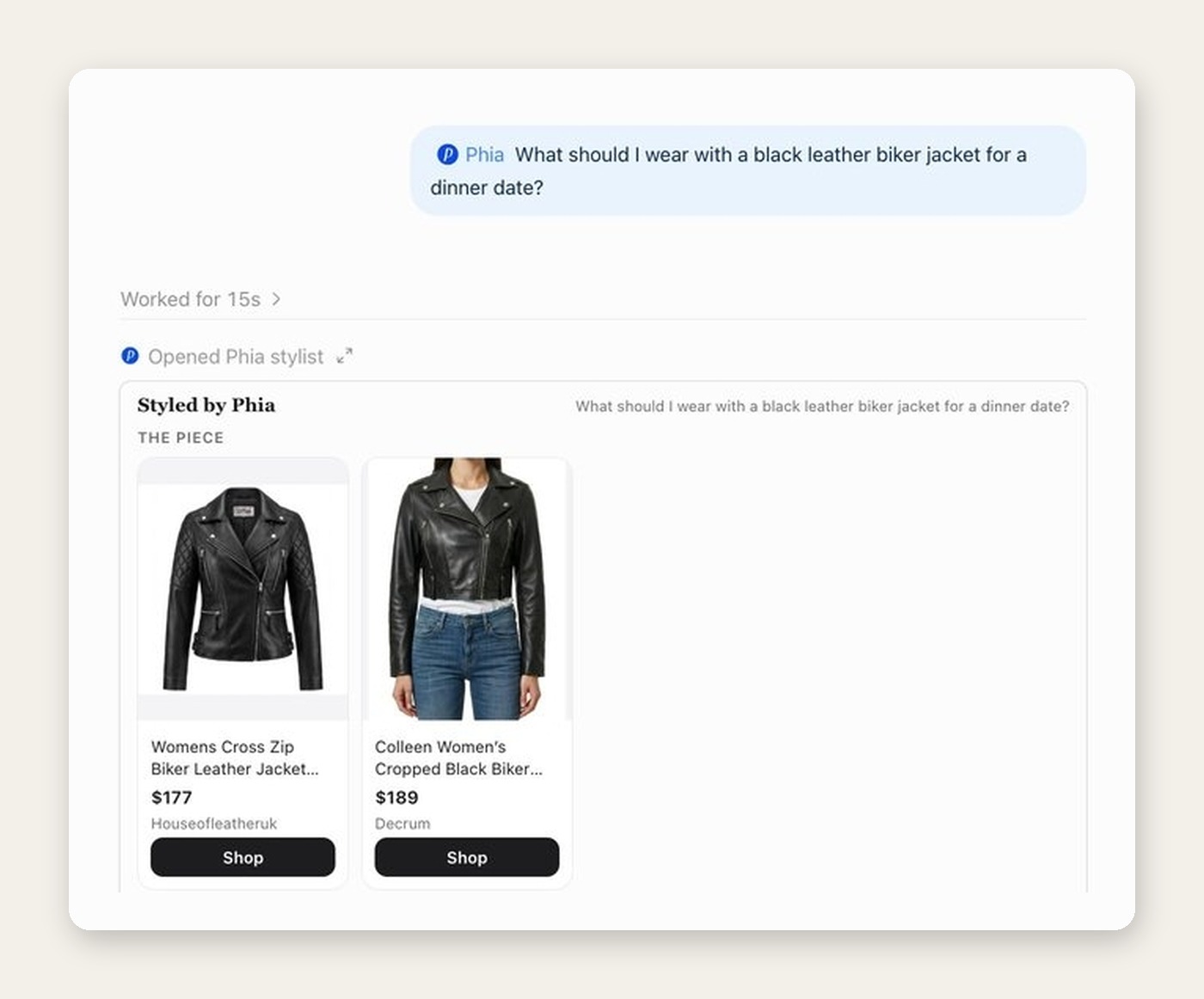
The third kind is styling. Ask what to wear with something, or what to wear to something, and Phia's stylist returns an outfit grouped by pairing, with in-stock pieces for each part and links to the Phia edits that go deeper. When I asked what to wear with a black leather biker jacket for a dinner date, it opened with two biker jackets at $177 and $189, then built the rest of the look around them.
What I would skip: one-word searches. "Shoes" gets you shoes. "Black pointed kitten heels under $150 for a wedding" gets you an answer.
What the answer actually looks like
The format matters more than people think. A paragraph describing a sweater is not shopping. Phia's answers arrive as cards inside the chat: a product photo, the name, the price, the store and a black Shop button. For the jacket question the card was titled Styled by Phia, with each part of the outfit as its own row, from the jacket to a burgundy satin slip dress to a small black shoulder bag.
Under the cards there is a Read more line linking to the Phia edits the advice came from. For the jacket that meant our edit on leather jackets that are not biker jackets, among others. I like that. It means the advice has a source, written by people who care about this, rather than appearing from nowhere.
Then ChatGPT adds its own short take in words: which combination it would pick, why the colors work, one practical tip. In my test it said to wear the jacket open, keep the neckline bare and add small earrings that match the hardware. Specific enough to act on tonight.
Each card also ends with a line inviting you to install the Phia app and sync your camera roll for personalized picks, which is where the closet side of Phia comes in.

Where the plugin stops and the app starts
The plugin is deliberately simple. It does not remember your closet between chats, and it does not need to know who you are. If you want Phia to know what you own, that lives in the Phia app: connect Gmail and it turns order emails into closet items, sync your camera roll and it finds the clothes in photos you already took, then it suggests outfits and collections from what is there.
The two work well together. I keep the closet in the app and use ChatGPT for the questions that start somewhere else, like a trip I am planning or a dress code I do not understand. If I am browsing on a laptop, the Chrome extension checks the price on the product page I am already looking at.
If you want to see how the closet side fills itself, I wrote it all up in How the Phia Digital Closet Works. Otherwise, add the Phia plugin, type @Phia, and ask it the thing you were about to open twelve tabs for.